HOT PRODUCT | LOW STOCK
📺 Wireless HDMI Screen Mirroring Adapter – 1080P Plug & Play
📺 Wireless HDMI Screen Mirroring Adapter – 1080P Plug & Play
BUNDLE & SAVE
Couldn't load pickup availability
- American express payment method
- Apple pay payment method
- Bancontact payment method
- Blik payment method
- Diners club payment method
- Discover payment method
- Eps payment method
- Google pay payment method
- Jcb payment method
- Maestro payment method
- Master payment method
- Mb payment method
- Mobilepay payment method
- Paypal payment method
- Przelewy24 payment method
- Shopify pay payment method
- Twint payment method
- Unionpay payment method
- Visa payment method
-
Ordered
- - -
Order Ready
- - -
Delivered

📺 Wireless HDMI Screen Mirroring Adapter – 1080P Plug & Play
Wireless Screen Sharing
From Your Phone to the Big Screen 📺
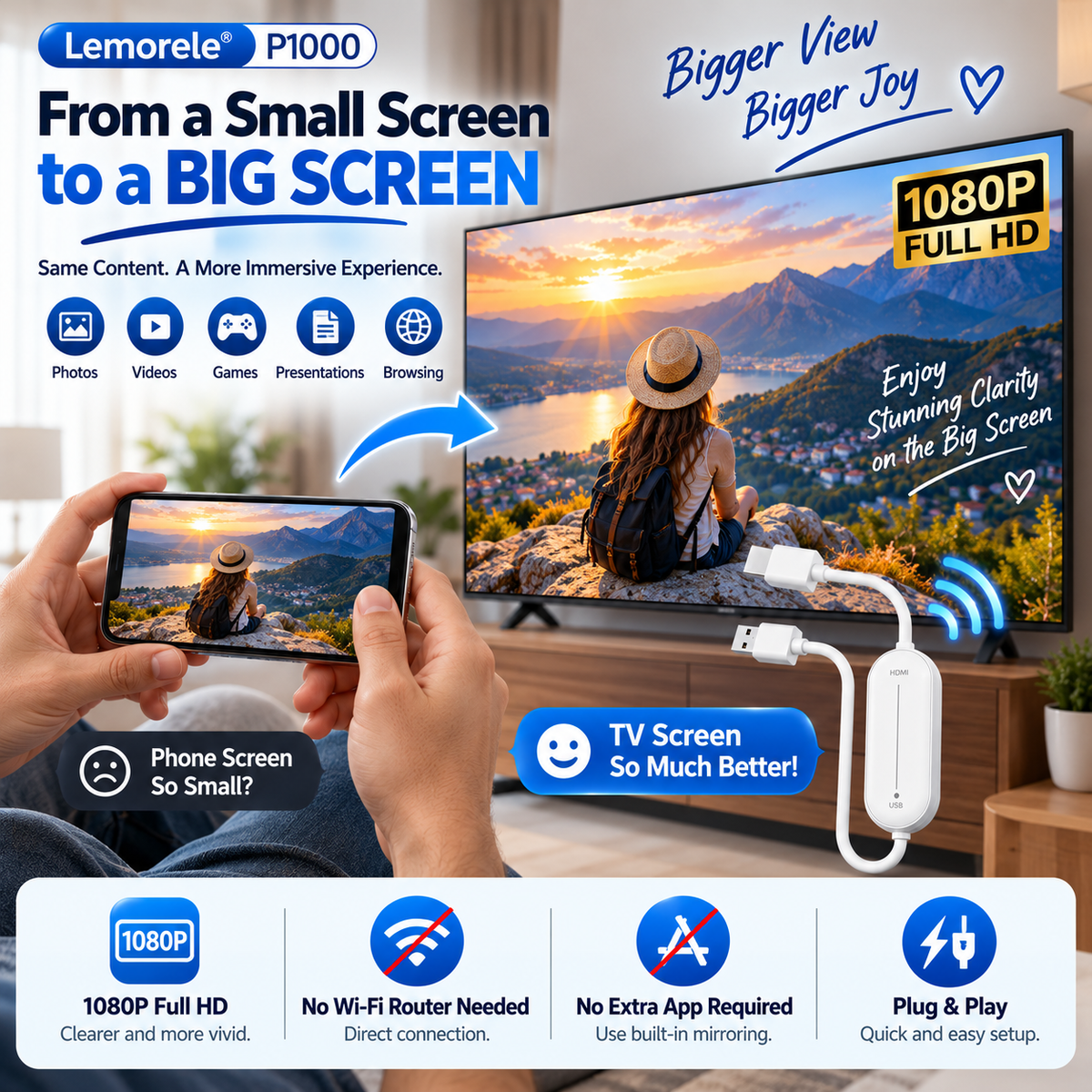
Enjoy your personal photos, videos, and compatible screen content on a TV, monitor, or projector with this compact wireless HDMI mirroring adapter.

A Better Way to Share
Don't Keep Every Moment on a Tiny Screen
Whether you're reviewing vacation memories or showing a slideshow, viewing on a larger display can make sharing easier and more enjoyable.
Display compatible phone, tablet, or computer content on an HDMI screen.
Make family pictures and personal videos easier for everyone to see.
Present compatible slides and documents on a larger meeting-room display.

Easy Connection
Plug In. Choose HDMI. Start Mirroring.
With a compatible transmitting device, you can use its built-in wireless display feature without installing an additional mirroring app.
- Connect the adapter. Insert the HDMI plug into your display and supply power through USB.
- Select the right input. Change your TV or monitor input to the matching HDMI port.
- Enable wireless mirroring. Open your device's supported AirPlay, Miracast, or wireless-display function and select the receiver.

Up to 1080P
More Room for Your Favorite Content 🎬
Support for up to 1080P output helps make photos, compatible personal videos, browser content, and presentations easier to enjoy on a larger display.
- Up to 1080P video output
- Mirrors compatible audio and video content
- Works with suitable HDMI-enabled displays
- Compact design for easy packing

Everyday Uses
One Small Adapter, Plenty of Possibilities
🏠 At home: Show family photos and compatible personal videos.
✈️ While traveling: Use a TV with an accessible HDMI input when supported.
💼 At work: Share compatible meeting materials.
🎓 For learning: View supported educational content on a bigger screen.

📱 Check Compatibility First
The transmitting phone, tablet or computer must support a compatible wireless screen-mirroring protocol.
- Supported Apple devices with AirPlay
- Supported Android devices with Miracast or Wi-Fi Display
- Supported Windows devices with wireless display capability
- TVs, monitors or projectors with HDMI input
📦 Product Details
| Product | Wireless HDMI Screen Mirroring Adapter |
|---|---|
| Model | P1000 (as shown on reference page) |
| Output | Up to 1080P Full HD |
| Display connector | HDMI |
| Power | USB |
| Wireless protocols | AirPlay / Miracast / Wi-Fi Display, depending on device |
| Additional app | Not required for supported built-in mirroring |
| Home router | Not required for supported direct screen mirroring |
❓ Frequently Asked Questions
Does it work with every smartphone?
No. Your phone must support a compatible wireless mirroring method. Check your device specifications before ordering.
Do I need to install an app?
Not when your device supports the compatible built-in screen-sharing function.
Do I need home Wi-Fi?
Supported direct mirroring does not require a home router. The transmitting device still needs compatible wireless-display support.
Can it mirror subscription streaming apps?
Some protected streaming content may be blocked by DRM restrictions. Playback of these services is not guaranteed.
Is the video output 4K?
No. The described configuration supports up to 1080P output.
What is the USB plug for?
USB powers the adapter. HDMI carries the mirrored signal to the display.
Small Device. Bigger View.
Bring Your Screen to Life 📺
Enjoy easier sharing of your compatible photos, presentations and screen content.
Choose Your Adapter
FAQ
FAQ
1. When will my order ship?
Most orders are processed within 1–3 business days.
2. How long is delivery?
Standard U.S. delivery usually takes 5–12 business days. International orders may take longer.
3. How do I track my order?
Once your order ships, you will receive an email with a tracking number.
4. Can I change or cancel my order?
Orders can only be changed or canceled before they are shipped. Contact us as soon as possible if you need assistance.
5. What payment methods do you accept?
We accept major credit/debit cards, PayPal, Shop Pay, Apple Pay, and other secure checkout options (depending on availability).
6. What if the item arrived damaged?
Please email us with a photo of the damaged item within 48 hours, and we will arrange a replacement or refund.
7. What if the package is lost?
If your package is marked “delivered” but you didn’t receive it, contact us and we will help investigate with the carrier.
8. Do you ship internationally?
Yes, we ship to most countries. Shipping times vary based on destination.